What players learn
1. Read the brief
Classify an assessment as controlled (AI off unless the brief allows it), uncontrolled (AI on unless the brief restricts it) or mixed (the brief sets the rules for each part).
2. Make the call
Judge whether a use of AI is fine, fine with a disclosure statement, or not allowed, including putting personal data into public tools and citing references that do not exist.
3. Declare it
Recognise a useful disclosure: it names the tool, the purpose, the parts affected and how the output was checked. Disclosing is not admitting misconduct.
4. Own it
AI has no academic agency. Students are responsible for everything they submit, and staff cannot hand marking decisions to AI.
The cases are based on the University of Dundee's Core policy on Generative AI in education and student experience (updated 7 October 2026). The game is a learning aid, not official guidance, and is an independent Learning Lab resource, not produced or endorsed by the University of Dundee. See Your rules to use it with another institution's policy.
Pick a format
Class mode: teams (25 to 40 minutes)
For a live session with one projected screen and no student devices. On the start screen, choose Class mode: teams, set 2 to 6 teams (names optional) and all 12 cases or a single round. For each case, read it aloud; teams discuss and agree A, B or C; tap each team's letter, then Reveal the answer and read the explanation together. The leaderboard updates after every case, and the results screen names the winner and the case most teams found hardest, ready for the debrief. A link straight to the set-up: lab.yingwu.co.uk/integrity-desk/?mode=class
Induction or week 1
Play it before the first assessment brief is released, so students check the AI category before they start. This is the plan below.
Paired with Source Check
Source Check (15 to 30 minutes) covers paraphrasing, references and AI uses. The Integrity Desk (8 to 15 minutes) covers briefs, disclosure and responsibility. Together they make a 30–45 minute integrity session.
Before a deadline
Share the link alongside the assessment brief and ask students which Round 1 case their own assignment is most like.
Staff development and research training
Case 12 (Dr K) and the data protection case open a discussion about AI-assisted marking and feedback. For postgraduate researchers, cases 5 and 9 cover research data and authorship check-ins.
Five golden rules
- Answers lock when clicked.The explanation and the policy point appear straight away. That is where the learning is, so ask players to read them even when they are right.
- A reload starts a solo game again.Solo progress lives only in the open page; the best score is remembered on that device. A class game is saved in the browser, so you can switch to your slides or reload and resume it.
- The cases are fictional.Every student, lecturer and assignment is invented. The rules behind them come from a real, current university policy.
- Your brief has the final word.The game teaches default rules. A module's assessment brief and its module leader decide what is allowed for that assessment.
- Nothing leaves the device.There are no accounts, and no answers are sent anywhere. The star rating at the end is optional.
The four rounds
| Round | Task | Cases | Points |
|---|---|---|---|
| 1 | Read the brief: controlled, uncontrolled or mixed? | 3 | 3 (1 each) |
| 2 | Make the call: fine, fine but disclose, or not allowed? | 3 | 3 (1 each) |
| 3 | Declare it: choose the disclosure statement or the right evidence | 3 | 3 (1 each) |
| 4 | Own it: who is responsible, and when assistive AI is fine | 3 | 3 (1 each) |
Each case has three options, A, B and C, and the correct answers are spread evenly across the three letters. Ranks: Integrity Lead (11 or 12), Desk Officer (8 to 10), Trainee (0 to 7). The end screen gives four reminders: check the brief, disclose it, protect data, own it. On the start screen, players can tap any round, or the bonus round, to jump straight to it; the score then counts only the cases they played.
You vs your AI
"Can't students just ask an AI?" Yes: tools such as Circle to Search can read any screen, and no web page can block them. So the game invites it. After the end screen, Bonus: test your AI on 4 of these cases replays four case files the player has just answered (Amara, Callum, Ravi and Theo), so they can compare their own call with their AI's on exactly the same questions. For each one the game builds a ready-made prompt. The player copies it into their own AI app, for example Microsoft Copilot with their University account, then taps the letter the AI chose. The game shows the policy answer and finishes with a "you vs your AI" scoreboard.
The game itself sends nothing anywhere and calls no AI service. Players use their own app and account, so the bonus round costs you nothing. The cases are fictional, so they are safe to paste, and the screen reminds players never to paste personal or confidential material.
Use it in class (5 to 10 minutes)
Ask pairs to run the bonus round with different AI tools, then compare. Say: "Did your AI get the right letter for the right reason? Did it hedge with 'check your university's policy'? Which case did it miss, and why?" The point to land: AI has no academic agency, a confident answer is not a correct one, and general tools don't know your institution's rules or the assessment brief.
Every answer
Collapsed so students looking over your shoulder don’t see them. Open before the debrief.
Round 1: Read the brief
| Case | Situation | Answer | Why |
|---|---|---|---|
| 1 · Amara, BSc Biology | Two-hour invigilated exam; the brief says nothing about AI | A. Controlled | Invigilated exams are controlled: AI is restricted unless the brief explicitly allows it. Silence means no AI. |
| 2 · Leo, MSc Marketing | Take-home reflective report; no AI restriction; disclosure required | B. Uncontrolled | Unsupervised work is uncontrolled: AI is allowed unless the brief restricts it, but he must disclose it and stays responsible. |
| 3 · Team 4, MBA | Written review (AI for planning) plus a live presentation (no AI) | C. Mixed | Different rules for different parts: follow each part's conditions in the brief. |
Round 2: Make the call
| Case | Situation | Answer | Why |
|---|---|---|---|
| 4 · Priya, MA Education | Uses Copilot to brainstorm essay structures, then writes it herself | A. Fine, but disclose | A legitimate planning use with the approved tool, but the brief asks for disclosure. |
| 5 · Callum, MSc Public Health | Pastes interview transcripts with names and health details into a free chatbot | C. Not allowed | Personal or confidential data must not go into public AI tools without explicit approval. Disclosing it afterwards does not fix a data breach. |
| 6 · Sofia, BA Law | Cites three AI-suggested articles without checking; one does not exist | B. Not allowed | Citing a source that does not exist is fabrication, even if the AI invented it. |
Round 3: Declare it
| Case | Situation | Answer | Why |
|---|---|---|---|
| 7 · Jonah, MSc Finance | Used Copilot to tighten the wording of his conclusion, then checked it | C. Tool, part and check | All three statements look plausible. A useful disclosure names the tool, the purpose, the parts affected and how the output was checked. A is vague about what Copilot did and where, and its “check” is of his ideas, not of the AI’s edits; B names the part but leaves out the check. |
| 8 · Mei, BSc Computing | Worried that disclosing looks like cheating | A. Disclose it | Disclosure is not an admission of misconduct. Not disclosing when the brief requires it is the real risk. |
| 9 · Ravi, MBA | Invited to a short authorship check-in | B. Version history and AI prompts | Process evidence such as drafts, version history and prompt logs shows how the work developed. |
Round 4: Own it
| Case | Situation | Answer | Why |
|---|---|---|---|
| 10 · Nina, MSc Psychology | A wrong AI-generated statistic in her report | C. Nina | AI has no academic agency. The student is responsible for everything submitted. |
| 11 · Theo, BA History | Uses an AI-enabled reading and dictation tool within his documented adjustment | A. Fine | Assistive technology recommended by Disability Services is permitted and generally needs no disclosure, unless used beyond the adjustment. |
| 12 · Dr K, lecturer | Uploads a full student script to a free chatbot to decide the mark | B. Not allowed | Two problems: scripts must not go into unapproved tools, and marking decisions cannot be delegated to AI. |
The best debrief starters: Amara (why silence means “no” in an exam but “yes” in a take-home report), Callum (why disclosing does not make it acceptable) and Theo (why assistive technology is treated differently).
Before the session
- Share lab.yingwu.co.uk/integrity-desk/ as a link or QR code.
- Have your own institution's AI policy and a real assessment brief open, ready for the debrief.
- Play it once yourself: 6 to 9 minutes when you know the answers.
- Open the answer key above, ready for the debrief.
How long will it take?
Every time in this guide is a range. The low end is a focused run; the top end is what most learners take once they stop to think, read the feedback and talk it through.
Solo: 6 to 15 minutesClass plan: 20 to 35 minutesTeams mode: 25 to 40 minutes
What moves you up or down the range
- How long you think before each call. A quick answer keeps you near the low end; weighing up every option takes longer.
- Whether you read every explanation. Reading every feedback note, even when you are right, is the point, and it adds a few minutes.
- Replays. Playing again from case 1 to test what you have learned.
- Reading in a second language. The case files and explanations are text, so allow extra time.
- In class: discussion. In teams mode every case is read aloud and teams agree A, B or C before you tap in their answers.
- In class: how strictly you keep time. Moving on as soon as answers are in, or stopping to talk about your own AI policy.
- In class: getting started. Phones joining from the link or QR code, or forming teams and naming them.
Short on time? Play a single round, set a firm end time and take one debrief question. Want the richest discussion? Plan for the top of the range.
Step by step
20 to 35 minutes, with players on their own phones or laptops.
0 Set it up
2 to 4 min- Say
- “Twelve case files land on your desk: students and staff using AI at university. Make the call on each one, and read every explanation, even when you are right.”
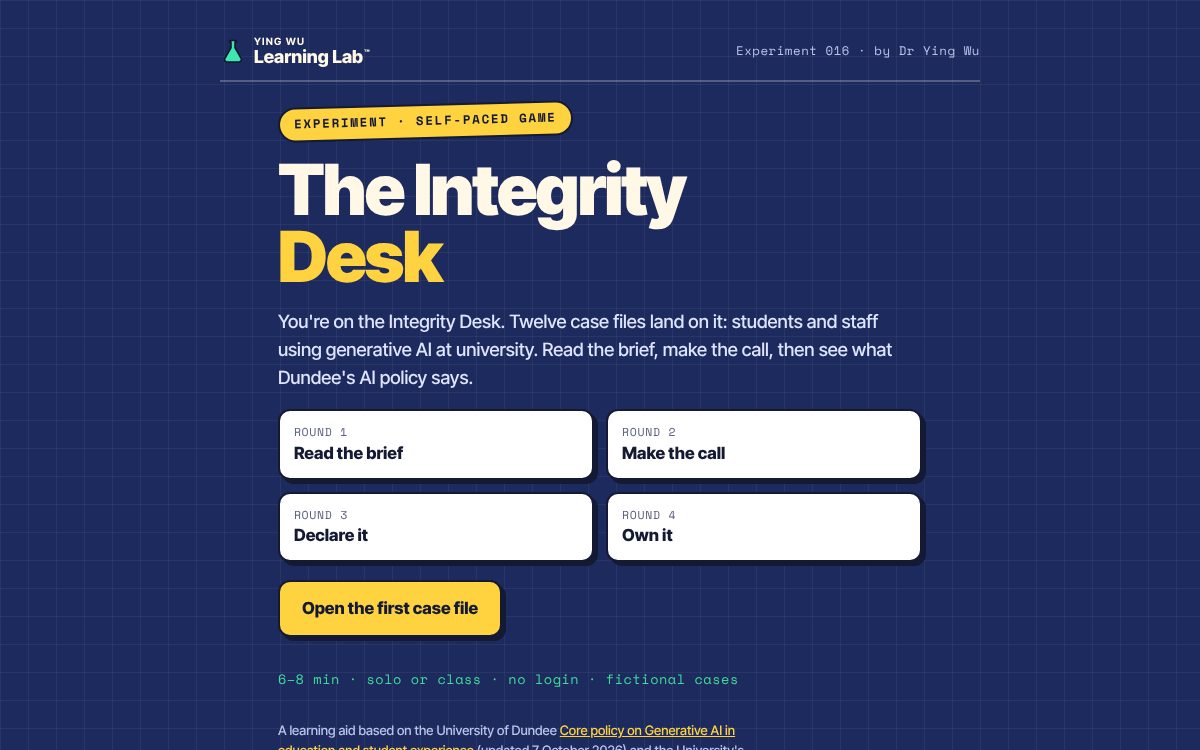
The start screen: four rounds, twelve case files. 1 Play
8 to 12 min- Players
- Round 1: read each brief and decide what kind of assessment it is.
- Round 2: decide whether each use of AI is fine, fine with disclosure, or not allowed.
- Round 3: choose the right disclosure statement or evidence.
- Round 4: decide who is responsible.
- Watch for
- Players calling Amara's exam uncontrolled because the brief “says nothing”.
- Players choosing “Fine, but disclose” for Callum: disclosure does not fix a data breach.
- No devices? Use Class mode (below): project it, teams agree A, B or C, and you tap in each team's answer.
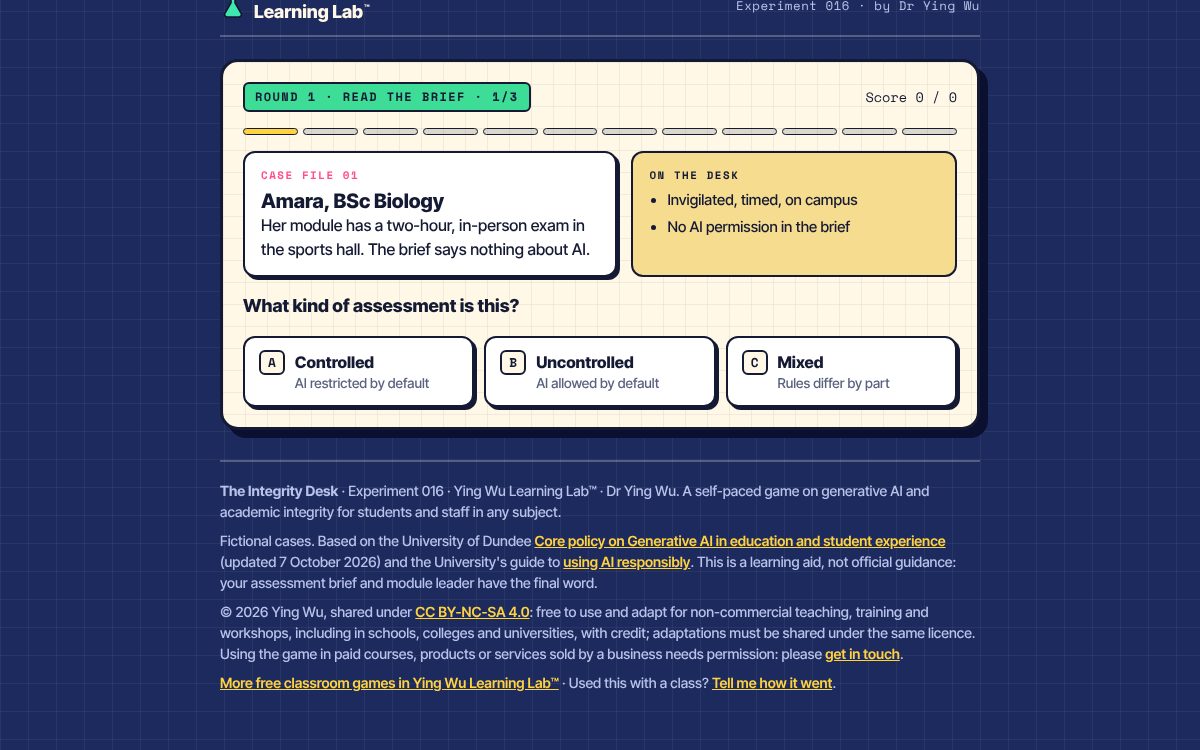
Each case file: the story, what is on the desk, and three options. 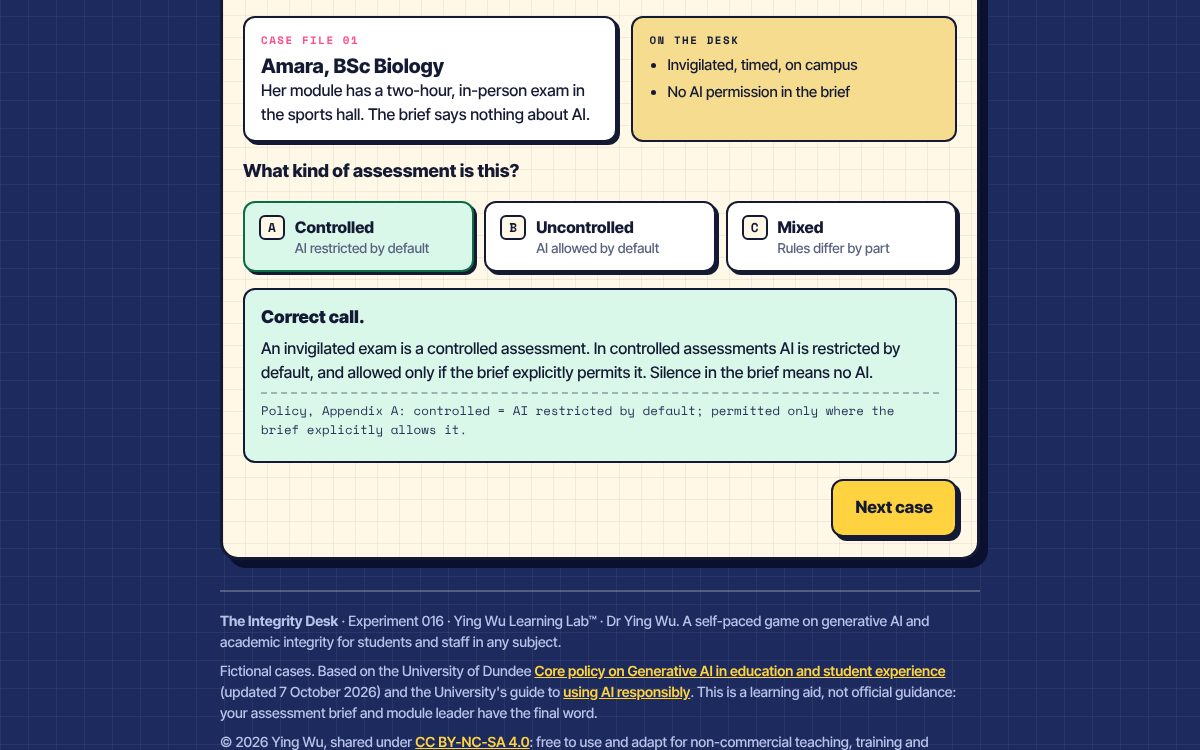
Every answer shows an explanation and the policy point behind it. 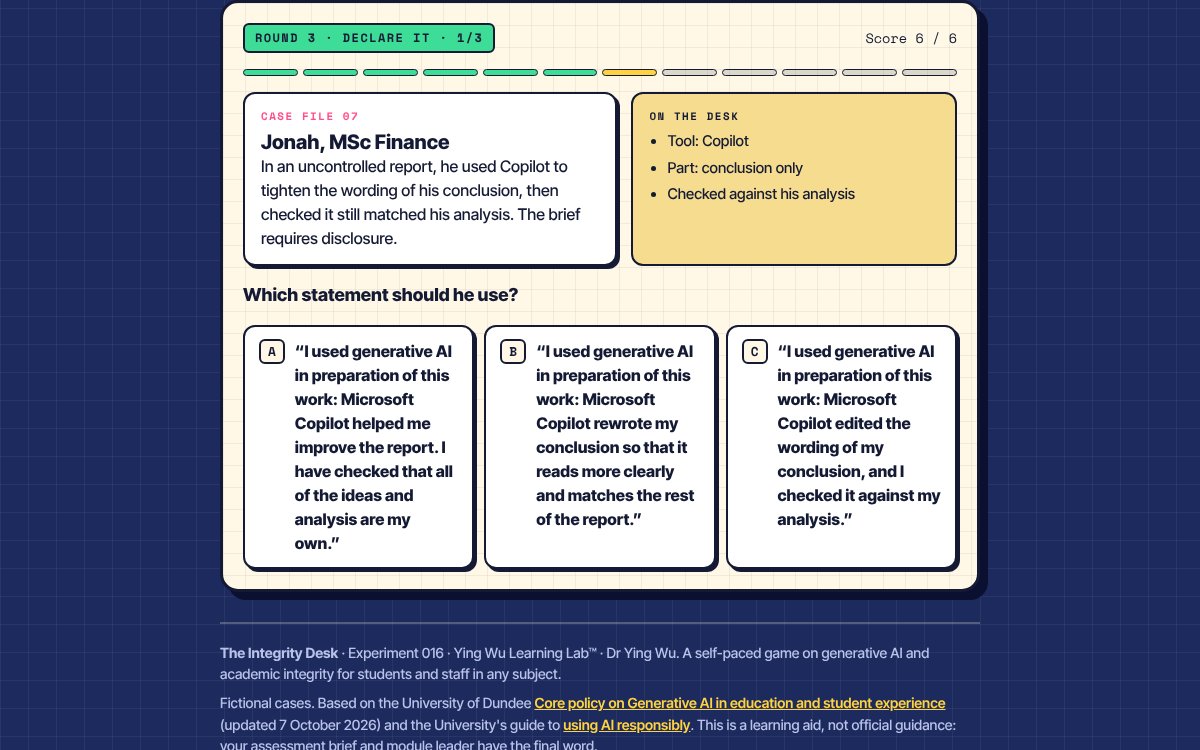
Round 3: which disclosure statement should Jonah use? 2 Debrief
5 to 10 min- Ask
- “Amara's brief said nothing about AI. Why does silence mean ‘no’ in an exam but ‘yes’ in a take-home report?”
- “All three of Jonah’s statements sound reasonable. What does each one leave out? Write a disclosure for your own last assignment.”
- “Callum disclosed his use. Why doesn't that make it acceptable?”
- “If an AI tool invents a reference, who is responsible, and how would you check?”
- “Theo uses AI under a reasonable adjustment. Why should that be treated differently?”
- Takeaway
- Check the brief, disclose it, protect data, own it.
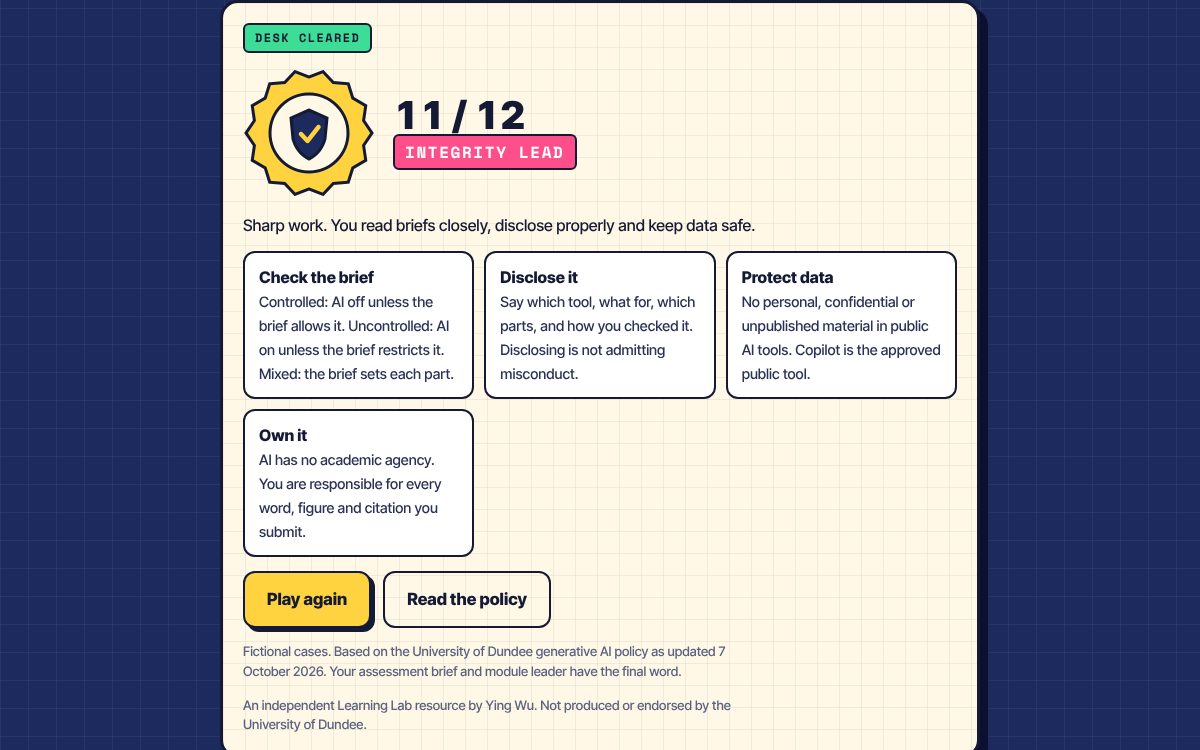
The end screen: score, rank and the four reminders.
Adapting it to your institution
- Assessment categories. Controlled, uncontrolled and mixed come from Appendix A of the Dundee policy. Many universities use other schemes, such as “AI not permitted”, “AI assistive” and “AI integral”, or levels of an AI assessment scale. Ask players to map each Round 1 case onto your own categories.
- Approved tools. The game treats Microsoft Copilot as the approved public tool. In the debrief, swap in whatever your institution licenses.
- Approval routes. The game names a Faculty VPESE as the person who can approve using sensitive data in AI tools. Swap in your own role, such as a research ethics committee or data protection officer.
- What travels well. The data protection, fabricated citation, responsibility and no-AI-marking cases (5, 6, 10 and 12) reflect principles found across UK guidance.
- Disputed answers. Treat them as discussion points. The assessment brief and module leader have the final word.
If something goes wrong
| Problem | What to do |
|---|---|
| A player reloaded the page | The game starts again. At 6 to 15 minutes, replaying is quick, and the cases stay the same, so the second run tests what they learned. |
| No devices | Put the game on the projector, read each case aloud, take a vote by show of hands for A, B or C, then click the room's answer. |
| No Wi-Fi | Once the page has loaded it runs without a connection. Otherwise, use the answer key on this page as a paper activity. |
| Your policy differs | Good: compare them. See “Adapting it to your institution” above. |
| A player disputes an answer | Ask them to argue it from the case file and the policy point. Some calls sit close to a boundary, which is what the debrief is for. |
Cheat card
- Share the link or QR code
- “Read every explanation.”
- 8 to 12 minutes of play
- Amara: silence in an exam brief means no AI
- Callum: disclosure does not fix a data breach
- “Check the brief, disclose it, protect data, own it.”
Behind the game
- Quality Assurance Agency for Higher Education (2020) Academic Integrity Charter. qaa.ac.uk
- Russell Group (2023) Principles on the use of generative AI tools in education. russellgroup.ac.uk
- University of Dundee (2026) Core policy on Generative AI in education and student experience, updated 7 October 2026. dundee.ac.uk
All cases, people and assignments are fictional. Rules are described as at October 2026: a teaching summary, not official guidance or legal advice. An independent Learning Lab resource by Ying Wu, not produced or endorsed by the University of Dundee.